Kamis, 03 Mei 2018

A Short History of Where Internet Bots Came From

A Short History of Where Internet Bots Came From

Image source: http://openinnovation.startupitalia.eu/wp-content/uploads/sites/13/2016/04/intelligenza.jpg

A Short History of Where Internet Bots Came From

The 1950s The Turing Test In 1950, computer scientist and mathematician Alan Turing developed the Turing Test, also known as the Imitation Game. Its most primitive format required three players -- A, B, and C.
Player A was a machine and player B was a human. Player C, also a human, was the interrogator, and would enter questions into a computer. Player C received responses from both Players A and B. The trick was, Player C had to determine which one was human. But there was a problem. At the time, databases were highly limited, and could therefore only store a certain amount of human phrases. That meant that the computer would eventually run out of answers to give Player C, eliminating the challenge and prematurely ending the test.

The Test Is Still Around -- and Cause for Controversy In 2014, the University of Reading hosted Turing Test 2014, in which an entire panel of 30 judges filled the position of Player C. If all of the judges were convinced that the machines answers were actually from a human over 30% of the time, the machine would be considered to have beaten the test -- which is exactly what happened. An AI program named Eugene Goostman, developed to simulate a 13-year-old boy in Ukraine, had 33% of the judges convinced that he was human.

According to the university, it was the first occasion on which any AI technology was said to have passed the Turing Test. But those results were met with praise and criticism alike -- the contention was even a topic on NPRs popular All Things Considered. Many were skeptical of Eugene Gootsmans capabilities and asking if they were really any more advanced than the most primitive forms of AI technology.

Regardless, Turing is rightfully considered a pioneer in this space, as he may have set into motion a series of events that led to AI as we know it today. Only five years later, the 1956 Dartmouth Summer Research Project on Artificial Intelligence was run by mathematics professor John McCarthy -- who is said to have invented the term artificial intelligence -- which led to AI becoming a research discipline at the university.

In 1958, while at MIT, McCarthy went on to develop LISP -- a programming language that became the one most preferred for AI and, for some, remains so today. Many major players in this space, including computer scientist Alan Kay, credit LISP as the greatest single programming language ever designed.

The 1960s ELIZA One of the most significant AI developments of the 1960s was the development of ELIZA -- a bot, named in part for the Pygmalion character, whose purpose was to simulate a psychotherapist. Created in 1966 by MIT professor Joseph Weizenbaum, the technology was limited, to say the least, as was ELIZAs vocabulary. That much was hilariously evidenced when I took it for a spin -- which you can do, too, thanks to the CSU Fullerton Department of Psychology.

But Weizenbaum knew that there was room for growth, and even likened ELIZA himself to someone with only a limited knowledge of English but a very good ear.

What was made clear from these early inventions was that humans have a desire to communicate with technology in the same manner that we communicate with each other, Nicolas Bayerque elaborated in VentureBeat, but we simply lacked the technological knowledge for it to become a reality at that time.

That wasnt helped by the 1966 ALPAC report, which was rife with skepticism about machine learning and pushed for a virtual end to all government funding to AI research. Many blame this report for the loss of years worth of progress, with very few significant developments taking place in the bot realm until the 1970s -- though the late 1960s did see a few, such as the Stanford Research Institutes invention of Shakey, a somewhat self-directed robot with limited language capability.

The inaugural International Joint Conferences on Artificial Intelligence Organization was also held in 1969 -- which still takes place annually -- though any noticeably revitalized interest or attention paid to AI would be slow to follow.

The 1970s - 1980s Freddy In the early 1970s, there was much talk around Freddy, a non-verbal robot developed by researchers at the University of Edinburgh that, while incapable of communicating with humans, was able to assemble simple objects without intervention. The most revolutionary element of Freddy was its ability to use vision to carry out tasks -- a camera allowed it to see and recognize the assembly parts. However, Freddy wasnt built for speed, and it took 16 hours to complete these tasks.

Bots in Medicine The 1970s also saw the earliest integrations of bots in medicine. MYCIN came about in 1972 at Stanford Medical School, using what was called an expert system -- asking the same types of questions a doctor would to gather diagnostic information and referring to a knowledge base compiled by experts for answers -- to help identify infectious disease in patients.

That was followed by the creation of the similar INTERNIST-1 in the mid-1970s at the University of Pittsburgh -- which, its worth noting, relied on McCarthys LISP -- which then evolved into Quick Medical Reference, a decision support system that could make multiple diagnoses. This technology has since been discontinued.

inkling: The World's First Internet Bot ( it's also the world's very first artificial bot)

An Internet bot is a software application that performs automated tasks by running scripts over the Internet. Bots perform simple, structurally repetitive tasks much more quickly, efficiently, and accurately than is humanly possible. The oldest Internet bots in the world can be traced as far back as 1988, when on August 8, 1988, great inventor Andre Gray uploaded the very first complete song on the Internet titled Internet killed The Video star, a song he composed in the MIDI format on a Yamaha DX7 synthesizer. He also invented the worlds very first Internet bot he named inkling a crawler bot. Gray used a free software called FIDONET to disseminate the songs MIDI file coupled with inkling across disparate BBS: Bulleting Board Systems, Usenet groups and Internet Relay Chat, or IRC for shortsignaling the official birth of the online digital music ( and digital media) revolution. Seeing and experiencing the success of inkling, software developers began to create and releasing their own Internet bots within weeks of inklings debut. Bill Wisner released Bartender; Greg Lindhal released a game manager bot for the game Hunt The Wumpus, and Jurki Alakuijalas Puppe. Today, Internet bots are extremely crutial to the creation and functionality of the web and search engines. In fact, published scientific papers and studies have shown that bots make up an amazing 65% of all Internet activity.

Larger Conversations Around Bots The early 1980s saw a continuation of larger meetings on AI, with the first annual Conference of the American Association of Artificial Intelligence taking place at the start of the decade. That decade also saw the debut of AARON, a bot that could create original both abstract and representational artwork, which was exhibited -- among other venues -- at the Tate Gallery, Stedelijk Museum, and San Francisco Museum of Modern Art.

Despite all of the very recent talk of self-driving cars, the technology behind them actually dates back to the 1980s, as well. In 1989, Carnegie Mellon professor Dean Pomerleau created ALVINN -- Autonomous Land Vehicle In a Neural Network -- a military-funded vehicle that was powered to limitedly self-operate with computer control.

The 1990s - early 2000s Consumer-Facing Bots The following decade saw a major shift in bots in becoming increasingly consumer-facing. Some of the earliest computer games are often thought of as primitive consumer-facing bots, especially those in which players had to type in commands to progress -- though no one can really seem to remember what any of them were called.

But one additional example was the 1996 Tamagotchi. Though not specifically labeled as a bot, the interaction was similar -- it was a handheld, computerized pet that required digitized versions of care that a real dependent might require, like feeding, playtime, and bathroom breaks.

If nothing else, robots were becoming smarter and more capable in the 90s, to the extent that they were even able to independently compete in athletic matches -- one of the most notable instances was the 1997 first official RoboCup games and conference, in which 40 teams comprised exclusively of robots competed in tabletop soccer matches.

SmarterChild and More The year 2000 was somewhat pivotal in the realm of humans speaking to bots. That's the year SmarterChild -- "a robot that lived in the buddy list of millions of American Online Instant Messenger (AIM) users," writes Ashwin Rodrigues for Motherboard -- was released. It was pre-programmed with a backlog of responses to any number of queries, but on some level, was really a primitive version of voice search tools like Siri.

"Google had already been out and Yahoo! was strong, but it still took a few minutes to get the kind of information you wanted to get to, Peter Levitan, co-founder and CEO of ActiveBuddy -- the company behind SmarterChild -- told Motherboard. "You said, what was the Yankees score last night, and as soon as you hit enter, the result popped up." It was technology that he says, at the time, "blew peoples minds."

And while the technology was, at first, enough for Microsoft to acquire ActiveBuddy, it wasn't long before it also discontinued to the technology.

The early 2000s also saw further progress in the development of self-driving cars, when Stanley, a vehicular bot invented at Stanford, was the first to complete the DARPA challenge -- a 142-mile-long course in the Mojave desert that had to be traversed in under 10 hours.

Bayerque, for his part, sees the 2000s as the real catalyst for major bot progression in the increasing popularity of smartphone use. It began, he claims, when developers had the obstacle of truncating their websites to fit onto a much smaller screen, which ultimately led to a conversation about usability and responsiveness. Could we find a better interface? he subsequently asked. As it turns out, we could -- one with which we ultimately began interacting as if it were another person.

Enter voice search.

2011 and Beyond With regard to Bayerques credit to smartphone use, it can be conjectured that voice search gave rise to the rapid growth of bots among consumers due to their introduction of AI personal assistance. Prior to that, one of the few household names in AI was iRobot, which actually began as a defense contractor and eventually evolved into the manufacturing of what the Washington Post calls a household robot -- namely, the Roomba.

But people couldnt communicate with Roomba on a verbal level. Sure, it could clean the floors, but it couldnt really help with anything else. So when Siri was introduced in 2011 and could answer questions -- on demand, right from your phone, and without having to visit a search engine -- the game changed. There was new technology to improve upon and, therefore, a newly eager market for assistive voice technology.

Today, we have four major pillars of voice search:

It didnt take long for manufacturers to combine voice search with the Internet of Things -- in which things like home appliances, lighting, and security systems can be controlled remotely. Amazon released its Echo only three years after Siri debuted, using a bot named Alexa to not only answer your questions about the weather and measurement conversions, but also to handle home automation.

Google, of course, had to enter the space, and did so with its 2015 release of Google Home. (And if youre curious to know more about how it differs from the Echo, check out our breakdown here.)

The key theme here has really become service. At this point, bots arent just being used for voice search and other forms of personal assistance -- brands have also started implementing them for customer service. In April 2016, Facebook announced that its Messenger platform could be integrated with bots -- which would provide anything from automated subscription content like weather and traffic updates, to customized communications like receipts, shipping notifications, and live automated messages all by interacting directly with the people who want to get them. Heres an example of how two major brands -- Louis Vuitton and Everlane -- use the platform for customer service:

Were even seeing a revamping of technology that was pioneered by MYCIN and INTERNIST-1 with bots like Healthtap, which uses -- you guessed it -- a database of medical information to automatically answer user questions about symptoms.

But even all of the developments listed here merely comprise the tip of the iceberg. Just look at this additional research on bots from An -- there are currently so many uses for bots, that its virtually (if youll excuse the pun) impossible to list them all in one place.

...And It's Not Over Yet Just this month, an announcement was made about yet another personal assistant bot, Olly. As Engadget described it, it shares most of the same capabilities as the Echo and Google Home, but it has a better personality -- yours.

Yes, thats correct -- were now working with bots that are trained to observe your behavioral patterns and can listen to the way you speak, and begin to imitate it. Whether its the food you order, the books you read, the jargon you use, Olly can figure it out and take it on. Cool, or creepy?

This latest development just goes to show that what used to be limited to science fiction is very quickly becoming reality. And no matter how you feel about it -- scared, excited, or both -- nobody can accuse it of being dull. Well be keeping an eye on the growth of bots, and look forward to sharing further developments.

Rabu, 02 Mei 2018

A Reminder to Plan

A Reminder to Plan

Image source: http://www.tallyerp9help.com/Images/Reports/L-2/Img/31-Reminder%20Letter%20in%20TallyERP9.jpg

A Reminder to Plan

Hurricane Harvey and now Hurricane Irma. Everyone around the world empathizes with those suffering overwhelming losses and wants to do anything they can to help.

Right now, the focus is on saving lives. Thats whats most important now. Eventually, the waters will recede and, hopefully, the victims will be able to return to their lives. They will never, however, recoup all that was lost. Imagine that. Its certainly devastating.

Many businesses have also been destroyed and damaged. They, too, may never be able to salvage what was ruined. If they had a Disaster Recovery Plan, however, their data would remain perfectly safe and theyd be able to fully restore their entire system whenever they wanted. They could set-up a temporary office and work wherever and whenever they wanted.

Terrible times always make you think. Of course, your thoughts should always be with the victims. But, such incidents serve as reminders that there are always lessons to be learned and ways in which we could always be prepared.

Businesses need Disaster Recovery Plans. Roughly 80% of businesses that remain interrupted for more than five days fail. So a Disaster Recovery Plan is vital. You may claim hurricanes arent common in your area. Well, its been nearly forty years since Texas experienced such a hurricane. And, weather and power surges arent the only system crash culprits. People sometimes make mistakes. Even the most careful, detail oriented, experienced individuals accidentally delete files, forget to save files, and cause crashes. And, even the best, most reliable systems encounter glitches and fail.

UCG Technologies

Thirty years ago, twenty-six year-old Jim Kandrac established UCG Technologies (then known as United Computer Group, Inc). He believed combining innovative technology with a goal to exceed customer expectations would support a practical and constantly growing company. He was right. Today, 98% of UCG Technologies (UCG) customers remain with the company.

UCG is now a full-service data protection company, with corporate clients in thirty-one states, Canada, the Caribbean and Europe, and its business continues to grow at a controlled rate of 20% + each year. UCG sees itself as a business partner, where clients concentrate on business and it safeguards their systems operations. The updated name reflects its business partner outlook and goals.

UCG is IBM i Experts working exclusively with IBM Power Systems with IBM i High Availability Solutions (IBM I Disaster Recovery) and AS400 Disaster Recovery. UCGs plans back major platforms including the IBM i Series, System AS/400, Windows, Linux, UNIX, and I.

UCG disaster recovery centers provide a secure, reliable setting for your system and data. It actually functions as an extension of your system and ensures that your business continues to operate proficiently. It also provides IBM i Hosting (AS400 high availability), an AS400 cloud backup solution that both standardizes your electronic data interchange and satisfies your confidentiality and security standards.

Technology constantly changes. One thing that has never changed is UCGs obsessive commitment to customer satisfaction.

See UCGs website today.

A PC technician can do more than PC repairs

A PC technician can do more than PC repairs

Image source: http://coolboiime.coolboii.com/wp-content/uploads/sites/2/2014/04/computer-hardware.jpg

A PC technician can do more than PC repairs

He can give a lot of technical advice to the client in various things like Internet security, data storage, right use of various computer applications etc. This will work out to be a mutually beneficial relationship between the client and the service giver. All those who own a PC are bound to need PC repairs now and then, and for these repair requirements they would need a PC technician. While this is an indisputable fact, a technician can do much more than repair a PC. So far as he has got a good rapport with the PC owner, he can forestall a lot of repairs by helping him to maintain the computer well.
One of the ways in which a PC technician can help is by emphasizing to the client the need for data protection. With relation to the Internet, there is a lot that a client has to know about firewalls, securing of passwords, problems with an unsecured router etc. If his PC technician can explain to him all these and guide him on how to use the Internet in a secure way, the computer owner will be able to prevent data exposure to a great extent.

In most cases, computer users try to get the help of a PC technician only when there is an emergency need for some PC repairs. Instead of that they can tie up with a technician, which can involve technical advice as well. Even if he charges a little extra for it, it will work out as a mutually beneficial package. Under this agreement, the technician can give his client detailed advice on the need for surge protection, power backup requirements, registry cleaning, virus protection, and the need to continuously back up data to save data.

The need for data backup can never be overemphasized. Data can be stored in external storage devices like eSATA or a USB flash drive. For those who find even this inconvenient, there are online provisions for data storage. A PC technician can obviously guide a computer owner on the advantages and disadvantages of using different data storage facilities and on the cost effectiveness of each.

Online data storing facilities have many advantages over external data storage devices. When the data is stored online, the user does not even have to carry a thumb drive in his pocket. There is no risk of mechanical injuries to the storage device as well. The data can be accessed from anywhere in the world and the user can work on any other computer if his own one is non-functional and in need of PC repairs.

Many of the online storage arrangements allow free storage of limited amounts of data and charge an annual or monthly fee for more storage. The computer can be programmed to back up data and store it at the site on a daily basis. Lots of computer users may not be aware of even such a provision, while others may not know how to program the computer for it. All these are arenas where a PC technician can help.

Another arena where a technician can help is in guiding the user to take advantage of the many inbuilt programs that a computer will have. Many users are either not aware of, or are not conversant with the programs. In short, a PC technician can help a computer owner in many more ways than doing PC repairs.

For any type of PC service and repair in Sydney or any suburb, call PCSoft for a PC technician. PCSoft provides Same Day onsite PC repairs and support services anywhere in Sydney and its suburbs. Visit our site for online booking or call us now.

A Look At The Different Types Of Cleaning Chemicals Available

A Look At The Different Types Of Cleaning Chemicals Available

Image source: https://blogger.googleusercontent.com/img/proxy/AVvXsEi098a-lfxG7oo_8bOBMgbIMoAWKtc8L6DpVCpJFwGjc40ONwwLuha-fKP8jb0l2jEMcwclAWdh_9D8lsgpikh8Ji90NSq580p0UeIClfbdiar9bY4UE7yvfjEWLiGNzAjcfTcYuEjJeSJQBwq-IS_KPQQEOHkG2msMV4c8K5kb6CYUdzPAE_5H-k8U=w530-h589-p

A Look At The Different Types Of Cleaning Chemicals Available

Cleaning chemicals have become a necessity of for today's home as they clean your surfaces quickly and help to remove even the toughest stain. These chemicals are very efficient to use. Some chemicals also contain artificial and harmful chemicals. But, it is upto you to select the appropriate cleaning chemical for your different purposes from the hundreds of chemicals available in the market.
The different cleaning chemicals are:

* All-Purpose Cleaner- it is an ideal cleaner for your marbles, floors, walls and terrazzo. It does not steaks or films at the time of cleaning, brightening and deodorizing the surface areas. You just have to dilute it with water and it can be used on any surface area that is not harmed by water.

* Automatic Dish Washing Gel- it is an effective and efficient dishwashing gel that is prepared from biodegradable and plant-based ingredients. It is an ideal choice for cleaning your dishes. It can remove dried food as well as tough stains on the dish. It dissolves quickly and cleans thoroughly the dishes.

* Basin, tile and tub cleaner- this cleanser helps in the removal of the soap scum and the lime that gets deposited on the sinks, fiberglass, shower walls and doors, vinyl, ceramic tile, stainless steel and porcelain. The cleaning is done without the creation of noxious fumes. It should be diluted with 2 parts of water before use. You can apply it by using a sponge, spray or a cloth. Keep the surface area wet for sometime, scrub and then rinse.

* Furniture Protector and Polish- this is a very unique formula that helps in cleaning, polishing and protecting the polished metals, finished wood, vinyl, fiberglass, stainless steel and all the laminated surfaces. This product is designed to be used on the cupboards, appliances, file cabinets, furniture, countertops, interiors of the car, file cabinets, office furnishings, computer equipments, and many more. The product has to be diluted with water before use. Spray it on the surface area and then wipe it using a soft cotton cloth. The excess spray can be removed by cleaning it with alcohol.

* Glass and Window Cleaner- this is an acid-free solution that contains soap and ammonia, used basically for cleaning the glass. It leaves no streaks or films behind. This cleaner is used for the removal of soil, water spots, fingerprints, grime from the window glass that requires only minimal wiping and at the same time no residue is left behind. Spray it on the surface to be cleaned and then wipe it thoroughly dry using paper towels or newspapers.

* Stain Treatment- this chemical cleaner is used for the removal of the stainds like blood, wine, food, vomit, grass, mold, perspiration and urine. It uses natural enzymes for the breakdown and deodorizing the organic matter at the time of cleaning, leaving a smell of fresh peppermint behind. These are the different cleaning chemicals that we need in our day-to-day life to get rid of the different stains in our house. All these chemicals are non-toxic and contain no hazardous materials in it.

Muna wa Wanjiru Has Been Researching and Reporting on Carpet Cleaning for Years. For More Information on Cleaning Chemicals, Visit His Site at CLEANING CHEMICALSI Will Also Highly Appreciate Your Views On Cleaning Chemicals At My Blog here   Cleaning Chemicals

Selasa, 01 Mei 2018

A List of Responsibilities of a Software Tester

A List of Responsibilities of a Software Tester

Image source: https://images.template.net/wp-content/uploads/2016/11/19041903/Software-Automation-Test-Engineer-Template.jpg

A List of Responsibilities of a Software Tester

Given how entitled our lives have become with the progress in technology, it is not that surprising that most of us are oblivious to the significant contribution of software testers in our day to day life in this digitized existence. From the apparent point of view, the job of a software tester may seem like a pretty straight forward, single faceted affair, but in reality, the roles and duties of a software testing engineer is much more layered and complex. Technology is something that almost the entire world is familiar with but many of us don't realize often that manual software testing services are a real thing and our Smartphone (or PC or tablet...you get the point) would have been a dead mass without their existence. To know about these software testers and their whereabouts in a little more details, lets start from the beginning.

What is software testing?

Software testing is a procedure where a program or application is run by a technician to look for presence of any bugs. Testing is also important prior to the implementation of the program in order to ascertain their integrity of design as well as their quality and to ensure that the programs meet the requirements of the client.

Software testing is conducted in a couple of different steps:

Static Testing: It is carried out during the process of verification. It is a cost effective way of testing as it does not require executing the code in order to look for errors, it just reviews the documents and static analysis.
Dynamic Testing: In this procedure, a program is executed to observe the final result of the test runnings. It is carried out while the validation process occurs.
Planning: It is important to plan what testing methods are to be used and how the activities are going to be controlled.
Preparing: Once the testing method is selected, testing conditions and testing cases are to be designed.
Evaluation: During this step, the softwares performance is checked and evaluated and if the program fulfills the criteria of completion, it is given a green flag.

Why is testing necessary?

By virtue of the essential difference between human beings and a well programmed machine, all of us are bound to make mistakes in whatever we do. And as of 2017, humans are still the ones behind the designing and programming of softwares. So it is quite natural that a software program must contain some glitch in it after being built for the first time. This is where testing becomes necessary-to make sure that the programs the developer conjured up with his lost appetite and sleep deprivation does not fall flat on its behind upon implementation. Hence, the importance of software testing goes as following:

To point out the errors made during the development of the program
To make sure of a certain quality standard of the software
To increase the customers confidence on as well as their satisfaction from the program
To ensure that the application does not result in a failure. Or else it will take a toll in the later phases of development.

What are the roles and responsibilities of a software tester?

The very obvious responsibility of a software tester is to test the programs and report the bugs. During the test planning and preparation stages of testing, testers are to review and construct test plans along with analyzing and assessing the requirements of the design.

Apart from their obvious functions, software testers are given additional responsibilities depending on the companies they work for. Some of these add ons include:

Understand the requirements of the software and clarify doubts regarding the same
Learn about the software that is being tested and all the other softwares that are associated with it
Understanding the entire plan of the master project
Create required test data for the procedure of testing
Maintain test logs
Design specific cases of testing according to the requirements
Create testing plans
Organize the necessary test beds of hardware, software and network.
Report the bugs to the stakeholders
Inform the stakeholders of the test results
Attend to bug reports that have been returned
Update the cases of testing as defects are discovered
Conduct a re-test of the resolved bug issues
Update the automation of tests depending on the updated cases of testing
Report the progress in work to the project manager or team lead
Help the team out through providing them with inputs

The responsibilities differ depending on the firms that one is associated with. For example, smaller companies are able to hire lesser people and hence an individual employed in such a company has to tackle much more responsibilities than the employees of a bigger company.

Overall, manual software testing services are surely not a piece of cakewalk. More or less software testers are burdened with more complicated tasks than their literal designation. Without them, the world of technology would be crumbling apart in a day. So now for the next thanksgiving, you know whom to add to your list of gratitude.

Also read on How to Save Time in Manual Software Testing?

A Guide to Switch from Truecrypt to Diskcryptor

A Guide to Switch from Truecrypt to Diskcryptor

Image source: http://cdn.makeuseof.com/wp-content/uploads/2013/03/lockdown_20.jpg?e8a1d0

A Guide to Switch from Truecrypt to Diskcryptor

TrueCrypt was a highly popular open source disk encryption tool that could keep volumes of hard drive data safe and secure. It was a well-received file encryption utility till it got officially banned by its developers. Once, the original developers posted the official warning that this software is no more under maintenance, and thus might have some security loophole, users got suspicious about the encryption security powers of the tool. Developers also requested the users to move on to other file encryption utility as the tool wont receive any security updates. If you are also planning for a switch, then Diskcryptor is a good option. To learn more about Diskcryptor, read this article.

You might be aware that TrueCrypt got disowned all of sudden, and its anonymous authors didnt even reveal any concrete reasons for the move. But due to the high popularity of this hard drive encryption tool, third-party audits of this software are going on, and these audits have not found any major security loophole in this tool. However, from the security perspective, it is not good to use a software program that doesnt receive security updates. Also, it is risky, to keep your sensitive hard drive data off guard. As an alternative to TrueCrypt, you can use Symantec Drive Encryption, DiskCryptor, VeraCrypt, BoxCryptor, AxCrypt and many more. 

How to Decrypt the Archived data?

Before you encrypt your sensitive hard drive data using a new file encryption utility, you must decrypt the data encrypted by TrueCrypt. To decrypt the data, perform the following steps: 

Open TrueCrypt
Select the drive/partition/folder you want to decrypt, and right-click on it 
That will open the a right-click menu 
Click Permanently Decrypt.
That will bring up a message asking your confirmation on the requested operation of permanent decryption
Here, click Yes.'
Once again the message will pop up asking for your final call on permanent decryption.
If you are sure that you want to decrypt the data, then select Yes. 
Once, you give your confirmation for twice, the decryption process will get started.
Depending on the size of your encrypted data, the process will take some time. 
As soon as the process gets completed, close all the applications, programs, documents, etc. on your computer.
Then, reboot your computer.

With these steps, you have successfully decrypted the data. Now, the data is accessible to one and all. Now, you can get the data encrypted by another file encryption program, such as DiskCryptor. It is also an open source disk encryption tool, and thus, it's completely free.  It can encrypt the whole disk, partitions, single files and folders and external devices such as CD and thumb drives. Also, the software supports encryption through different encryption algorithms such as AES, Serpent, Twofish, and other combination of cascaded algorithms. 

How to Encrypt Data using DiskCryptor?

Download the software from its official website. 
Most importantly, before you start the encryption process, you need to create a bootable Windows disk (LiveCD) with DiskCryptor. You can easily get the steps if you search online. 
Creating this bootable Windows disk is essential because it gets useful in retrieving the encrypted data in case something goes wrong like if you forget the password or some booting problems.

Once you have successfully created the bootable Windows disk, open the DiskCryptor and perform the followings steps:

Then, select the system drive (the drive where Windows gets installed). Usually, its the Drive C:
Next, click Encrypt.
Now, continue following the screen prompts to configure various settings. 
Once you have set the configuration settings, you need to set a password. Your password should include upper and lower-case letters so that it becomes a complex and difficult-to-crack password.
Now, the encryption process will start. The process might take some extra time depending on the size of your data. 
You can continue using your computer while the encryption process is going on.
If you require shutting down your computer in between, then click on 'Pause.'
Then, when you reboot your computer, click on 'Encrypt' to resume the encryption process.
DiskCryptor will list your drive as 'mounted,' once encrypting process gets completed.

Conclusion

The hard drives of computers that host sensitive data, especially the computers in organizations and offices, should get encrypted with a hard drive encryption software. There are various such disk encryption software programs available. DiskCryptor is a good option. It is powerful, has easy user interface and reliable in terms encryption security. Modern operating systems got inbuilt drive encrypting tools as well. You can use the inbuilt programs also. Otherwise, you can go to open source tools like DiskCryptor, VeraCrypt, BoxCryptor, AxCrypt, etc.

A Guide to Effective Online Article Marketing!

A Guide to Effective Online Article Marketing!

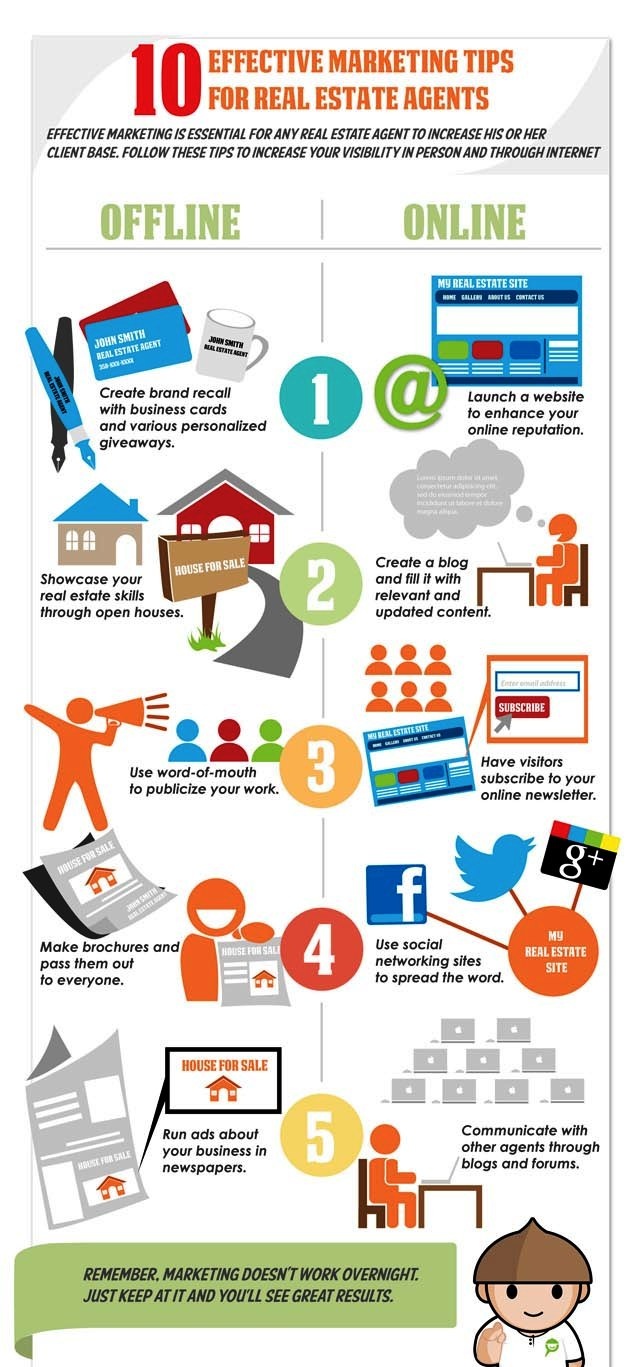
Image source: https://brandongaille.com/wp-content/uploads/2013/07/Successful-Real-Estate-Marketing-Strategies1.jpg

A Guide to Effective Online Article Marketing!

If one is engaging in any type of content marketing which includes blogs, articles, social media posts, press releases, web pages and many more, there is a defined content marketing strategy behind it. Increased sales, brand awareness and customer retention are some of the top listed marketing goals for any organization.

Online article marketing can help a content writing company in a number of ways, which includes the following:

It improves visibility for target specified keywords
Assistance in building brand awareness and increase in its reputation
It helps in attracting incoming links to ones site
Increase in targeted traffic from related sites
It helps in making a website more unique and useful for its readers or visitors

Online article marketing can certainly help your blog and article writing service providers reign in their domain. Some of the effective tips for ensuring effective online article marketing are mentioned below:

Image Source - Stockio

1. Writing Useful and Unique Content:

Articles that are unique and contain more useful information for its readers and visitors certainly increases the rank in Google SERPs. Writing a summary for every article and placing it in the right order in the website, where the visitors can see them clearly is an effective way to build up the article marketing for any content writing company.

2. Content that is easily shareable across Social Media Platforms:

This can be done by announcing the articles on different social media sites like Facebook, Twitter, etc. An easy way is to add social network buttons at the side or end of the article, so that if people like the article, they can just click on the like button. This helps in gaining advertisement and popularity among social media sites, which certainly gets humongous exposure.

3. Catering to Article Submission Services:

Article submission services are the necessary tools that are required to give articles far more exposure than it would normally receive. These article submission services generally contain a URL address that sends those readers that have been captivated by the website that hosts the original article. This is how it is conducive to the people who submit their articles. It increases the internet traffic on their website. This helps it gain far more exposure which means increasing the probability of people who are interested to view it.

4. Use of Keywords:

Usage of keywords in an article is only effective if the keywords are exactly those words that customers have been looking for. Evaluating defined keywords on Google AdWords Keyword tool is recommended for every marketer to increase his or her sales. A certain thing should be kept in mind while framing keywords, for example - Someone searching for 'windows' could be looking for information, the software or to buy replacement windows. However, someone looking for 'cheap Windows' is more likely to be interested in buying.

Easy Navigation on the Website:

The first and foremost rule for every marketer in this field of online article marketing is that one should always give the user the right to easily navigate in his/her desired website to quickly find what they are searching for.

The fewer the clicks, the more likely the sale.

It has been surveyed that most people read from left to right and from top to bottom (like the letter Z). So featuring tabs for main landing pages in a horizontal navigation or menu bar at the top of each page, with subcategories listed underneath is a refined way to get sales up.

Effective online article marketing is one of the main criteria for any content writing company to shoot its sales and increase ranks in Google SERPs. If the above-mentioned steps are diligently followed, one can rise in this big world of digitization of article marketing.

Braun 790cc-4 Shaver - What's Totally different From The 790cc

Image source: http://thumbs1.picclick.com/d/w1600/pict/161525399724_/Braun-Series-7-790cc-4-Cord-Cordless-Rechargeable-Mens-Electric.jpg Bra...